
This article explains how to fix measurements that are not syncing from the Firstbeat Sports: Coach app or the Firstbeat Sports: Athlete app to Firstbeat Sports Cloud.
Symptom
Measurements that were downloaded from the Firstbeat Sports Sensor to the app do not appear in Sports Cloud.
Cause
- The mobile device has no working network connection.
- Since 12 June 2026, measurements are no longer discarded because of a high error percentage. Measurements from before 12 June 2026 may have been discarded if the error percentage was over 60 %.
Important: Do not delete or reinstall the Coach app before the sync has finished. Measurements on the device that are not synced are lost. Data still on a Sensor can be downloaded again if the Sensor has not been reset.
Solution 1: Check the sync status in the Coach app
- Open the measurement list. On the device that downloaded the data, tap Download and tap the Loaded Measurements button in the Sensor row.
- Check the sync status. The Synced to Sports Cloud column shows the sync date and time, or Waiting for sync... if the measurement is not uploaded yet.
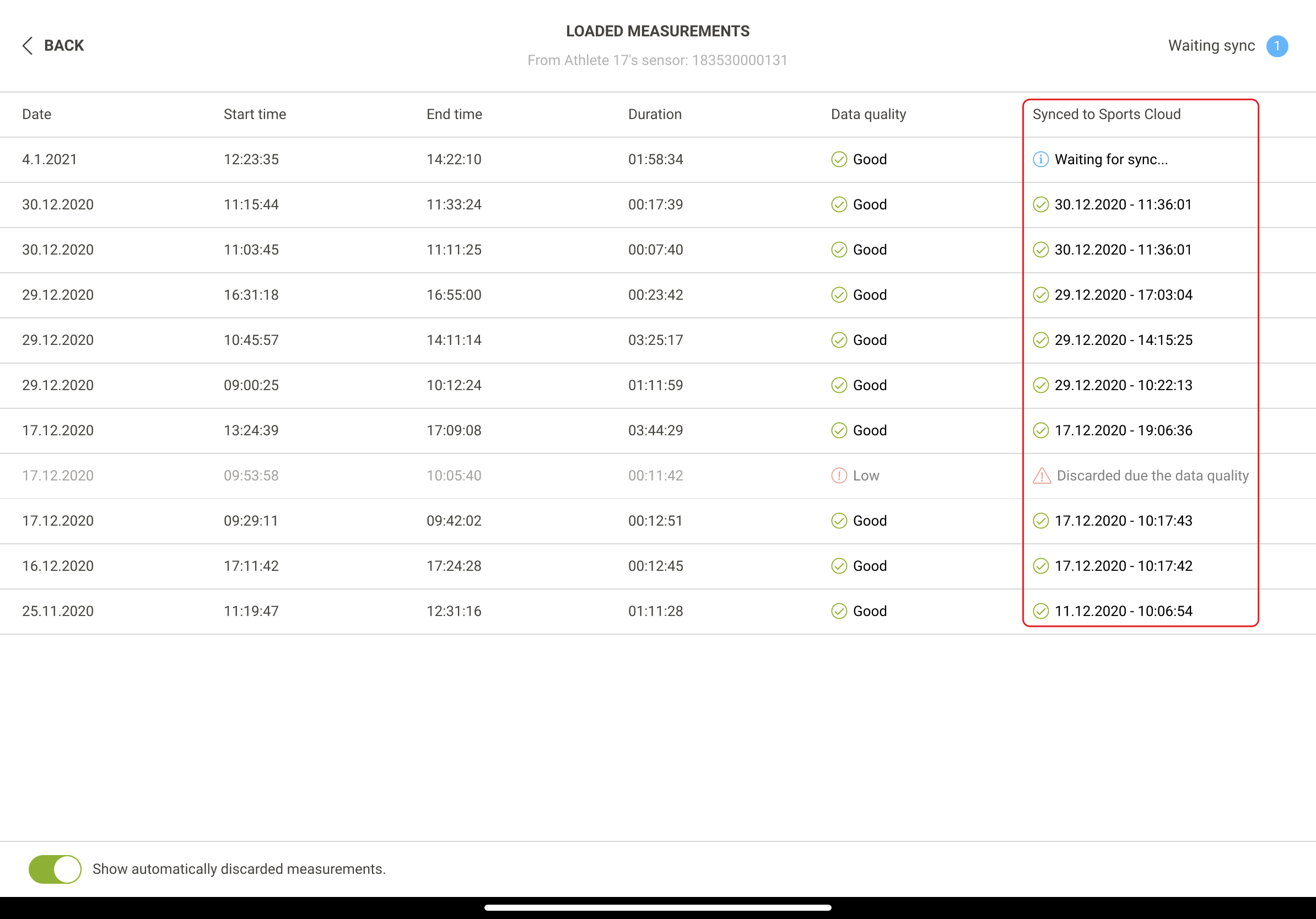
Screenshot: the LOADED MEASUREMENTS view with the Synced to Sports Cloud column and the discarded measurements toggle.
- Check older discarded measurements. For measurements from before 12 June 2026, turn on Show automatically discarded measurements. A discarded measurement shows Discarded due the data quality. To restore the measurement, contact Firstbeat Support with the athlete name and the date and start time.
Solution 2: Check the sync status in the Athlete app
- Open the measurement list. In the Athlete app, tap the Sensor image in the top-right corner to open the MEASUREMENTS view.
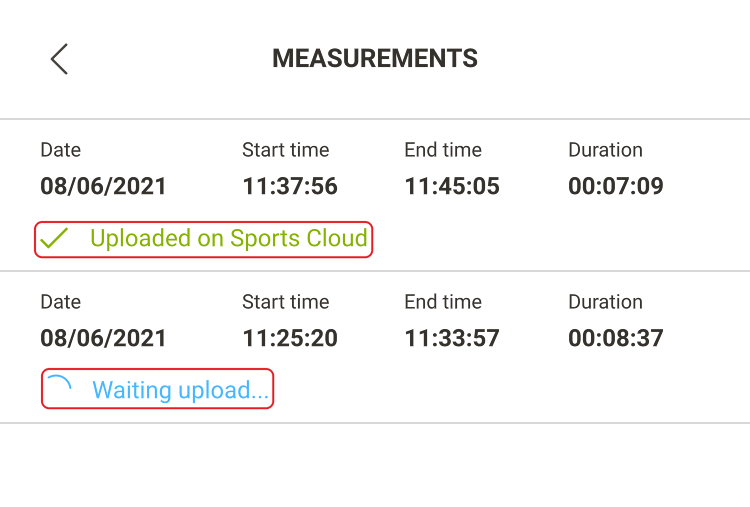
Screenshot: the MEASUREMENTS view with one measurement Uploaded on Sports Cloud and one with the status Waiting upload...
- Check the status. Uploaded on Sports Cloud means that the measurement is uploaded. Waiting upload... means that the measurement is not uploaded yet.
- Fix a waiting upload. If a measurement stays in Waiting upload..., restart the phone, open the Athlete app with an internet connection and keep the app open for a minute. Update the Athlete app to the latest version.
Solution 3: Check the network and sync the Coach app manually
- Check the network. Connect the device to a working Wi-Fi or mobile data network.
- Sync. Open the ... More menu, tap Sync now and wait for the sync to finish. Then check Sports Cloud again.
If the problem continues
Ask the Customer Agent chat on this page or email support@firstbeat.com. Include as much information as possible to help us solve the issue faster.