
This article explains how coaches create a Submaximal Fitness Testing protocol in the Reporting Tool of Firstbeat Sports Cloud. A protocol defines the test, and every Submaximal Fitness Test (SMFT) needs a protocol, both for a live test in the Firstbeat Sports: Coach app and for analysis in Sports Cloud.
Before you start
- Your subscription includes the submaximal testing add-on. Submaximal testing can be added to any subscription tier and is not included by default.
Steps
- Open Fitness Testing. Log in to Sports Cloud at https://sports.firstbeat.com, click MENU > REPORTING and click the Fitness Testing icon (a heart rate line) in the left icon panel.
- Add a protocol. Click the + symbol next to Protocols to open the Create a new protocol window.
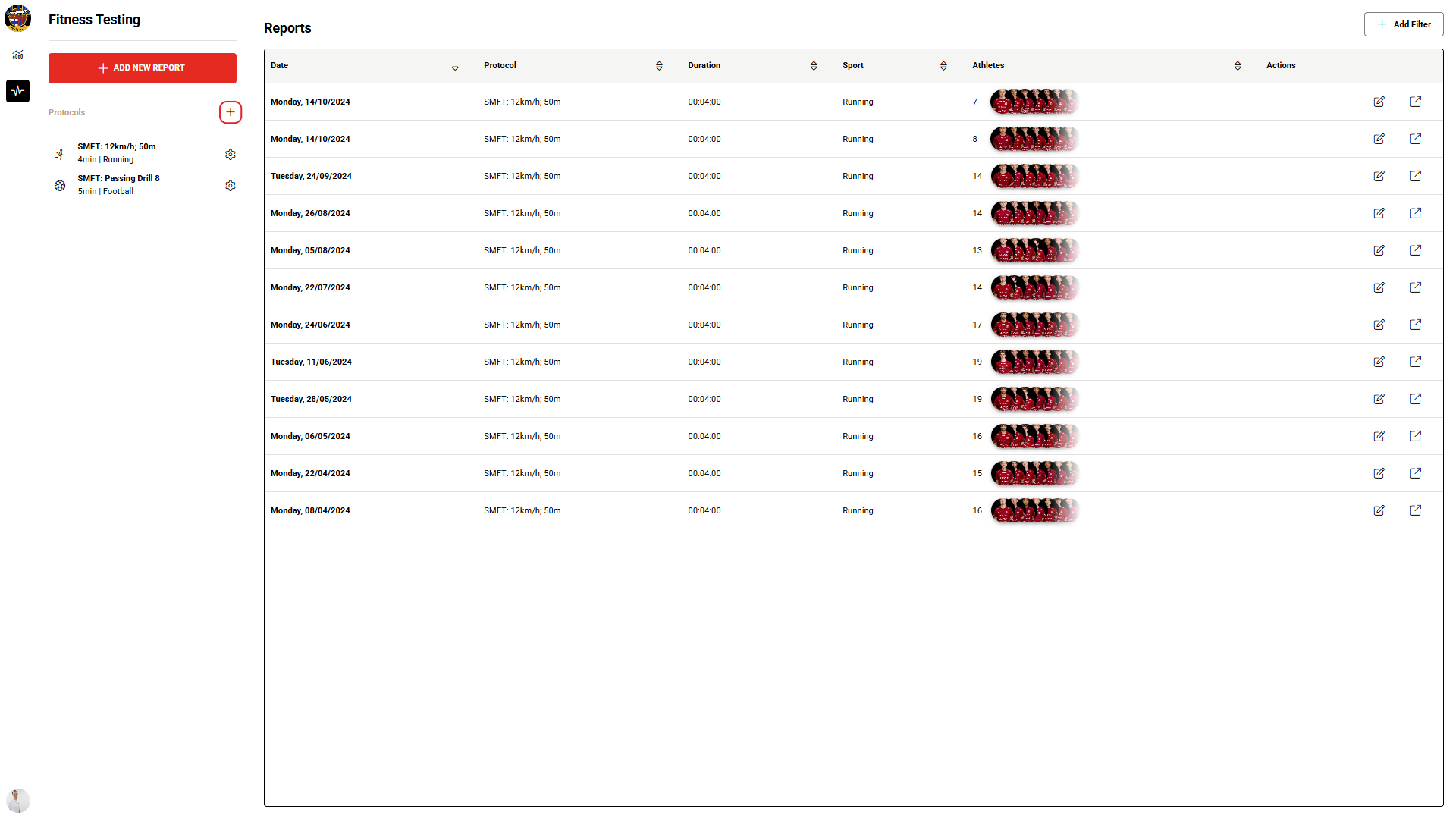
Screenshot: the Fitness Testing page with the + symbol next to Protocols.
- Name the protocol. Enter a name in the Protocol name field. For example, "SMFT: 12km/h; 50m" indicates the running speed (12 km/h) and the distance (50 m).
- Set the test details. Enter the Duration (hh:mm:ss), for example 00:04:00 for 4 minutes, and select the Sport. To add a recovery phase, select Add heart rate recovery phase, which adds 2 minutes to the total test duration.
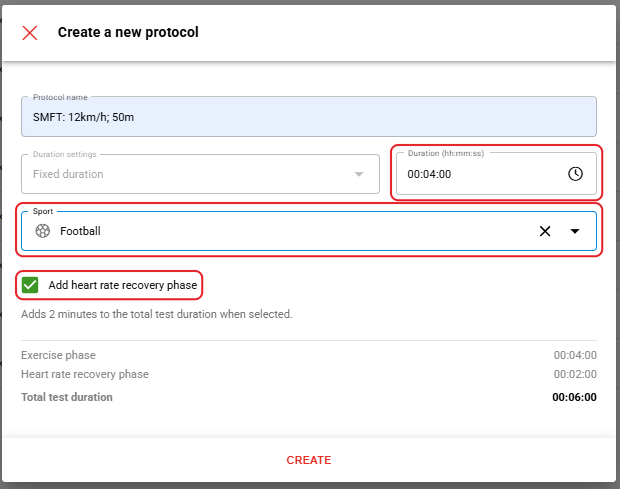
Screenshot: the Create a new protocol window with the protocol fields and the CREATE button.
- Save the protocol. Click CREATE.
Result
The new protocol appears in the Protocols list and is available in Sports Cloud and in the Coach app.
Edit or delete a protocol
- Open the protocol settings. On the Fitness Testing page, click the settings icon next to the protocol in the Protocols list.
- Edit or delete. Select the edit or delete option for the protocol.
Need more help? Ask the Customer Agent chat on this page or email support@firstbeat.com.