
This article explains how users can download measurement data from a Firstbeat Bodyguard 3 (BG3) device to a computer with the Firstbeat Bodyguard 3 Exporter desktop application, ready for upload to Firstbeat Sports Cloud.
Before you start
- You need the Firstbeat Bodyguard 3 Exporter desktop application and a BG3 device marked for use with the Exporter. Download and install the Exporter for your computer's operating system: Windows or macOS.
- Before the measurement, configure the BG3 device: in the Firstbeat Bodyguard 3 Exporter, click Device settings and in the Data items to write list select ACC (acceleration) and RRI (R-R interval). Leave ECG (electrocardiogram) unselected: ECG data is not needed and increases the file size a lot.
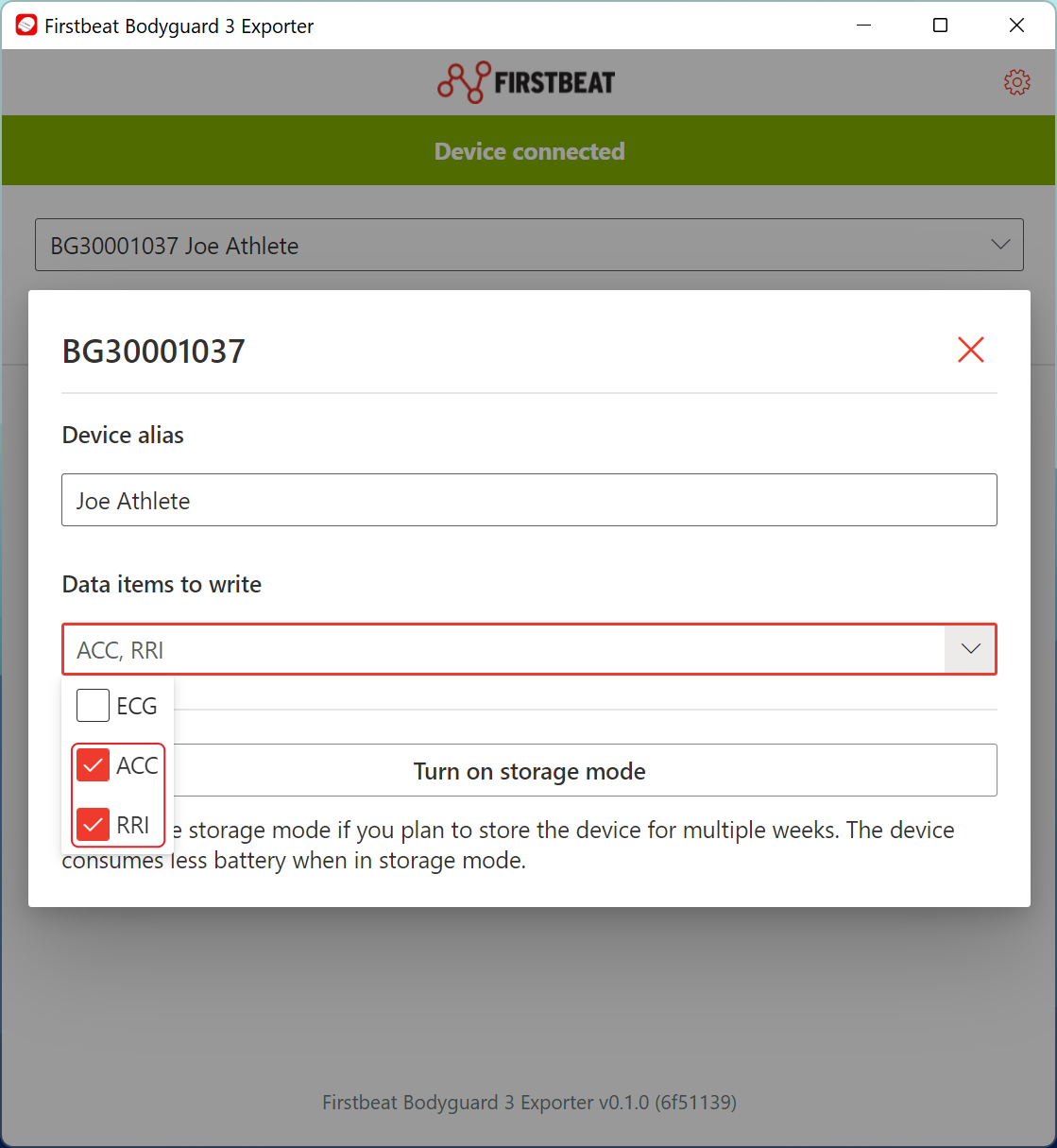
Screenshot: the device settings dialog with ACC and RRI selected and ECG not selected in the Data items to write list.
Steps
- Connect the BG3 device. Connect the BG3 device to your computer with a USB connection and open the Firstbeat Bodyguard 3 Exporter.
- Select the device. Check that the Firstbeat Bodyguard 3 Exporter shows Device connected, and select the BG3 device in the device list.
- Download the measurements. Click Download measurements to download the data to a folder on your computer.
- Find the .gz file. Open the download folder and find the file that ends in
-parsed.json.gzfor each measurement. Only the .gz file is uploaded to Sports Cloud.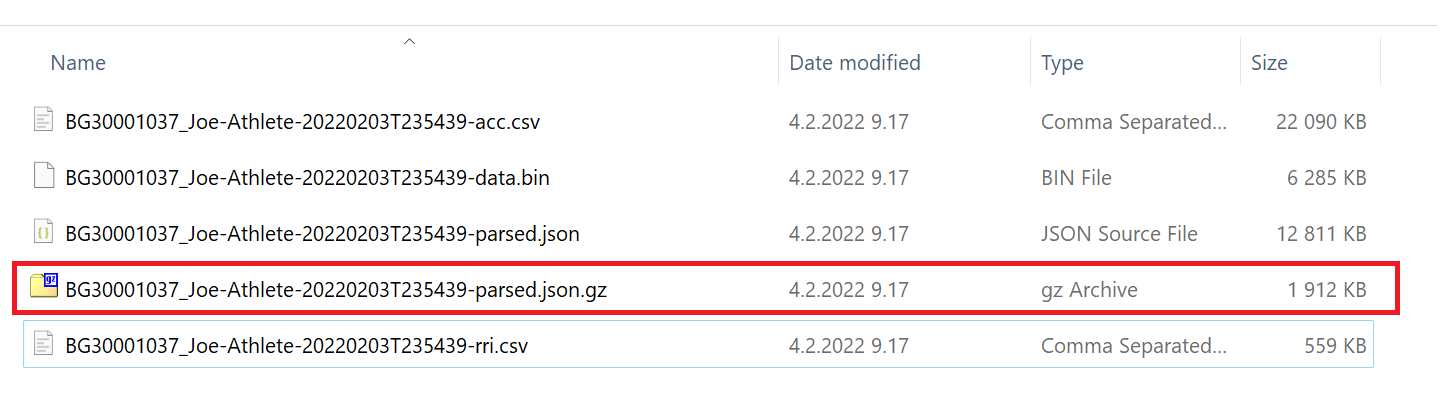
Screenshot: the five files of one measurement, with the -parsed.json.gz file highlighted.
About the downloaded files
- Each measurement has several files: one .csv file for each selected data source (for example
-acc.csvand-rri.csv), a-data.binfile, a-parsed.jsonfile and a-parsed.json.gzfile. - When several measurements are downloaded, you can tell the measurements apart by the time stamp in the file name.
Result
The download folder contains one .gz file for each measurement, ready for upload to Sports Cloud.
Need more help? Ask the Customer Agent chat on this page or email support@firstbeat.com.