
Stress and recovery measurement with Bodyguard 3 is a Firstbeat Sports Cloud feature that analyzes stress and recovery from data recorded with a Firstbeat Bodyguard 3 (BG3) device.
How the measurement works
- The athlete wears a BG3 device. The BG3 device can record R-R interval (RRI) data, acceleration (ACC) data and electrocardiogram (ECG) data. An R-R interval is the time between consecutive heartbeats.
- The stress and recovery analysis needs RRI and ACC data. ECG data is not needed and increases the file size a lot.
- The Firstbeat Bodyguard 3 Exporter desktop application downloads the data from the BG3 device to a folder on a computer through a USB connection.
- The user uploads the measurement file to Sports Cloud. After the analysis, the stress and recovery report is available and the data is visible on the dashboard.
Requirements
- The Firstbeat Bodyguard 3 Exporter desktop application, installed on your computer. Download it for Windows or macOS.
- One or more BG3 devices marked for use with the Firstbeat Bodyguard 3 Exporter.
- The stress and recovery feature enabled on your customer account. The feature is available in Sports Premium and Sports Premium+. To add the feature, contact your account manager. If the feature should already be in your plan, contact Firstbeat Support.
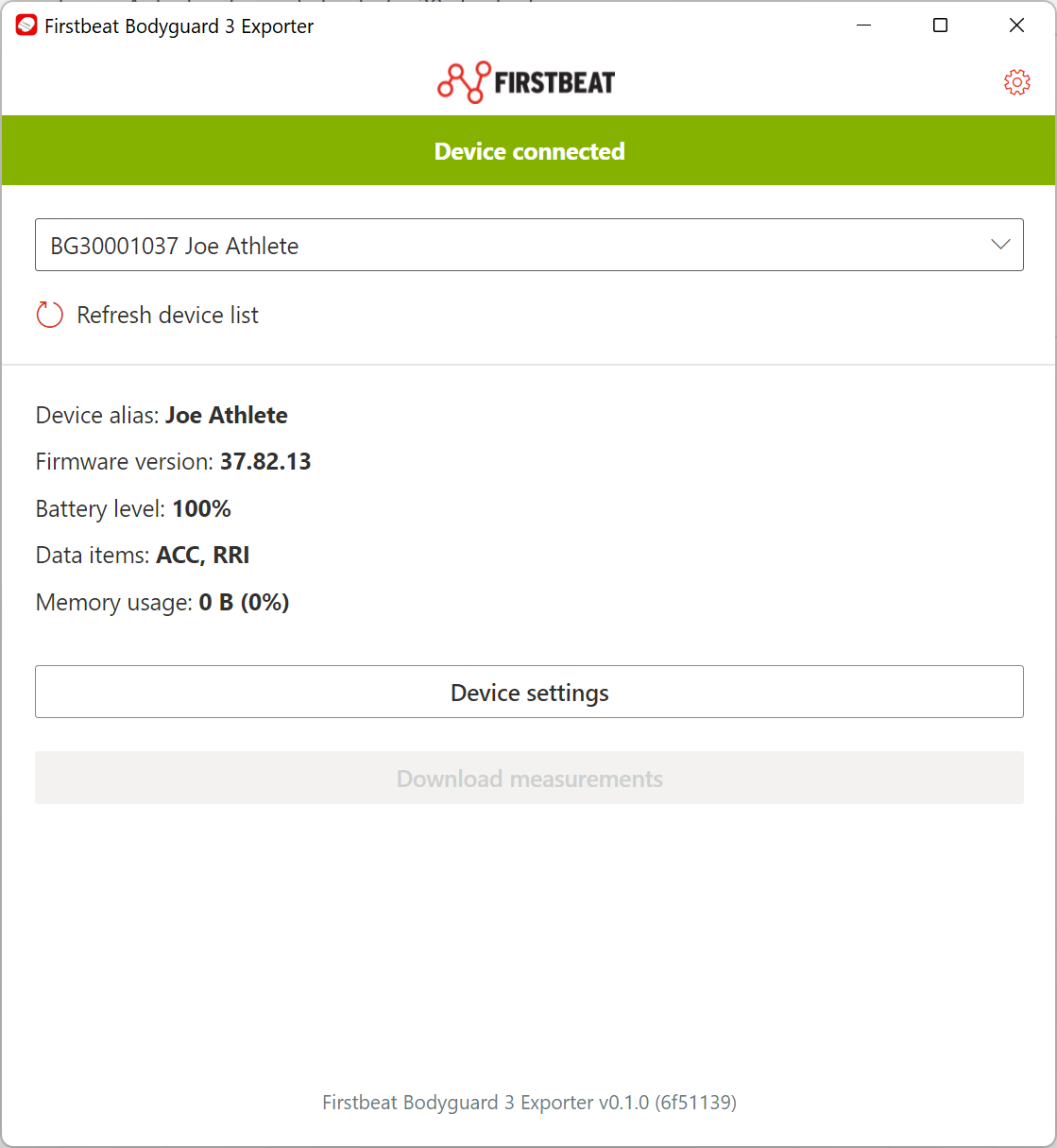
Screenshot: the Firstbeat Bodyguard 3 Exporter with a connected device and the Device settings and Download measurements buttons.
Using one BG3 device for several athletes
- The BG3 device is not athlete-specific, and the recorded data does not include user names. Keep notes on which athlete used which device.
- One BG3 device measures one athlete at a time.
Athletes using the BG3 device themselves
- Athletes can use the BG3 device and the Firstbeat Bodyguard 3 Exporter after training on the whole data collection process.
- The Firstbeat Bodyguard 3 Exporter has no data sharing features. Athletes can send the files to coaches by email or a file-sharing app, or upload the files to Sports Cloud themselves.
Need more help? Ask the Customer Agent chat on this page or email support@firstbeat.com.