
This article explains how coaches start using the Firstbeat Sports: Coach app to monitor a team session and download data from the Firstbeat Sports Sensors.
Video: introduction to the Coach app.
Before you start
- You need an iPad or iPhone with iOS 17 or later.
- You need your coach credentials: the username and password of your Firstbeat Sports Cloud coach account.
- Your team and athletes must already be in Sports Cloud.
Steps
- Install and log in. Download the Coach app from the App Store and log in with your coach username and password.
- Select your team. Tap the team icon in the top-left corner and select your team.
- Pair the Sensors with your athletes. Turn on Bluetooth and location services on the device. Do not pair the Sensors in the device's Bluetooth settings. Tap Sensors in the navigation bar to open the Sensor management view. To pair a Sensor, tap the athlete icon at the right end of the Sensor's row and pair it with one athlete profile. Repeat for each Sensor.
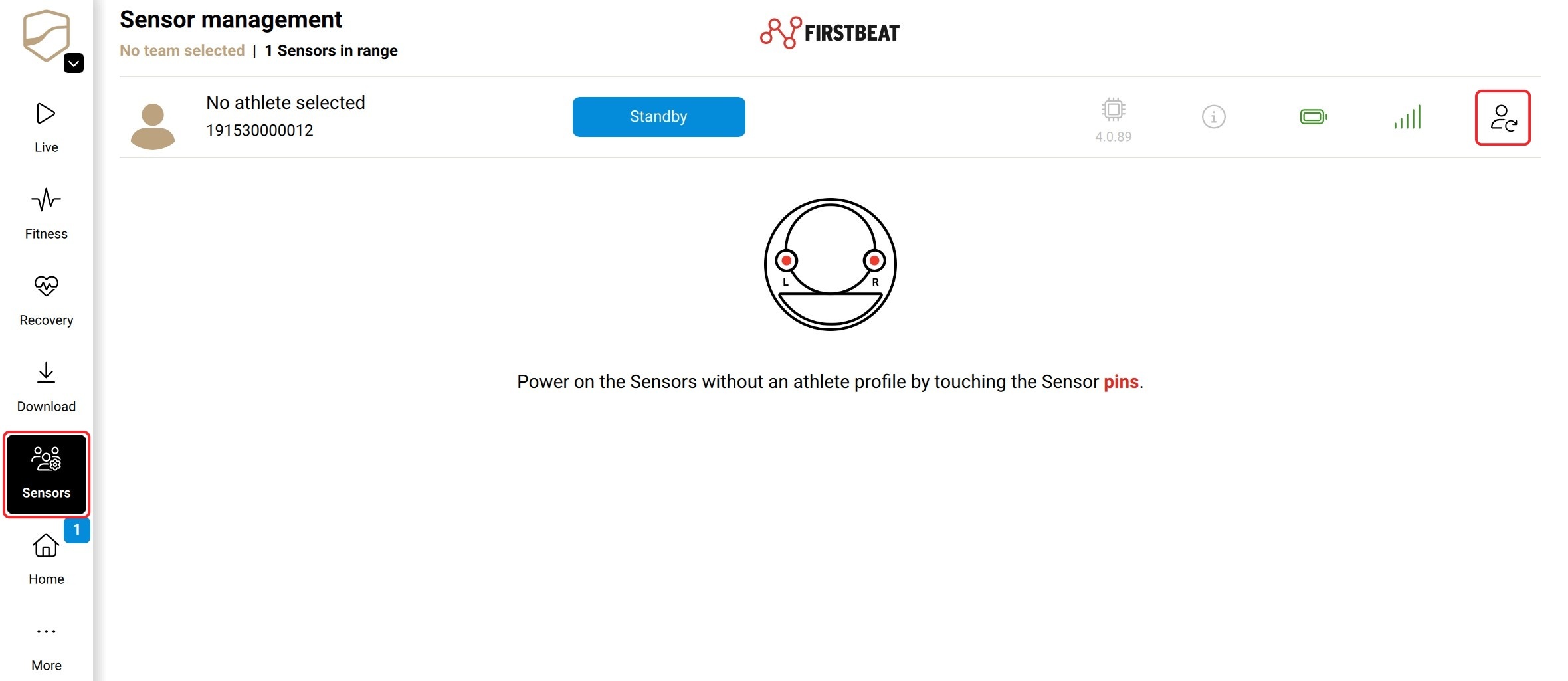
Screenshot: the Sensor management view with an unpaired Sensor.
- Start the session. When training starts, open Live view and tap Start in the team-session bar at the top of the screen. Automated team session reports for coaches are sent only for sessions started live.
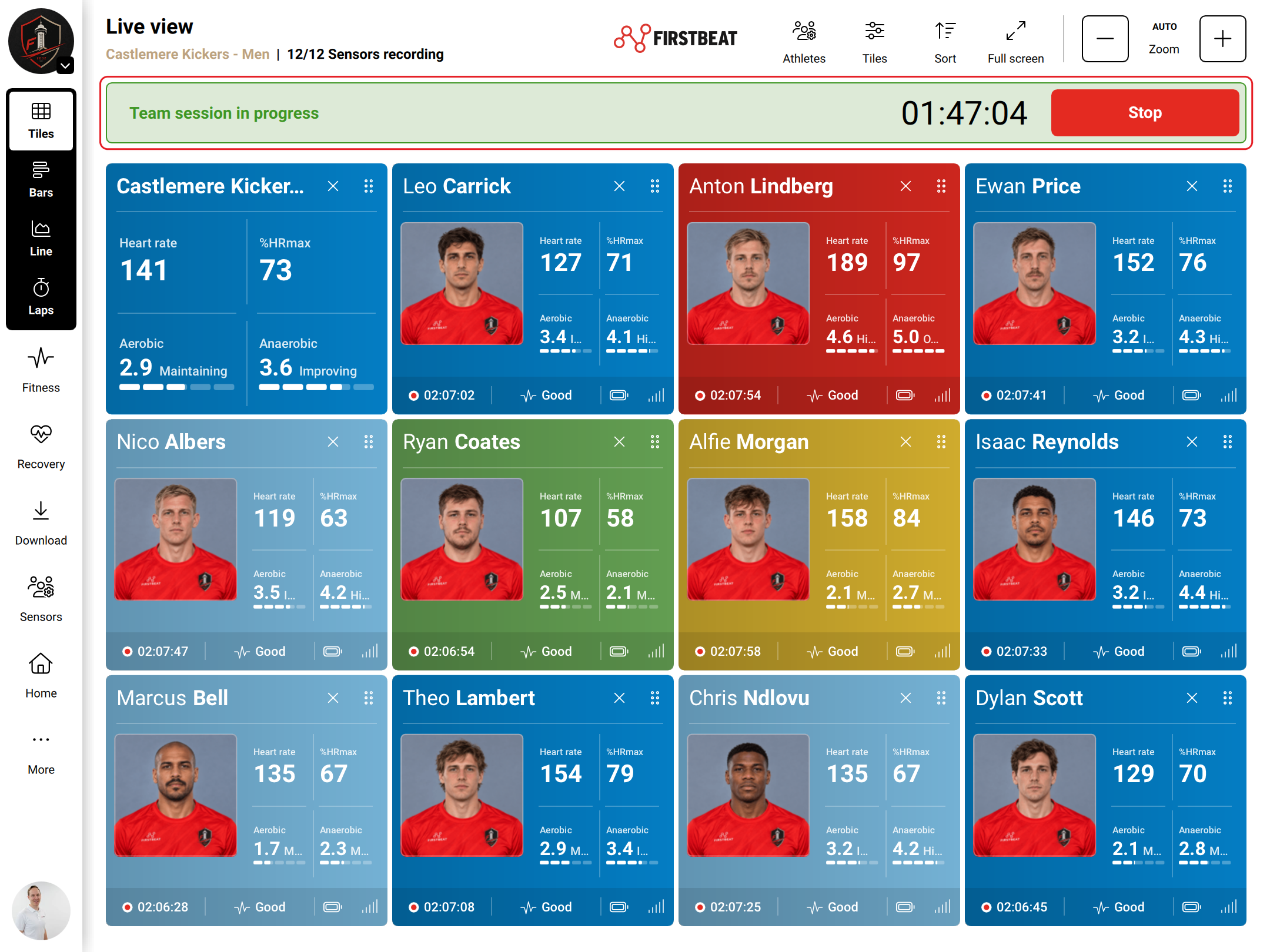
Screenshot: Live view with a team session in progress and the Stop button in the team-session bar.
- Stop and save the session. When training ends, tap Stop and Save team session. Check the session details and tap Done.
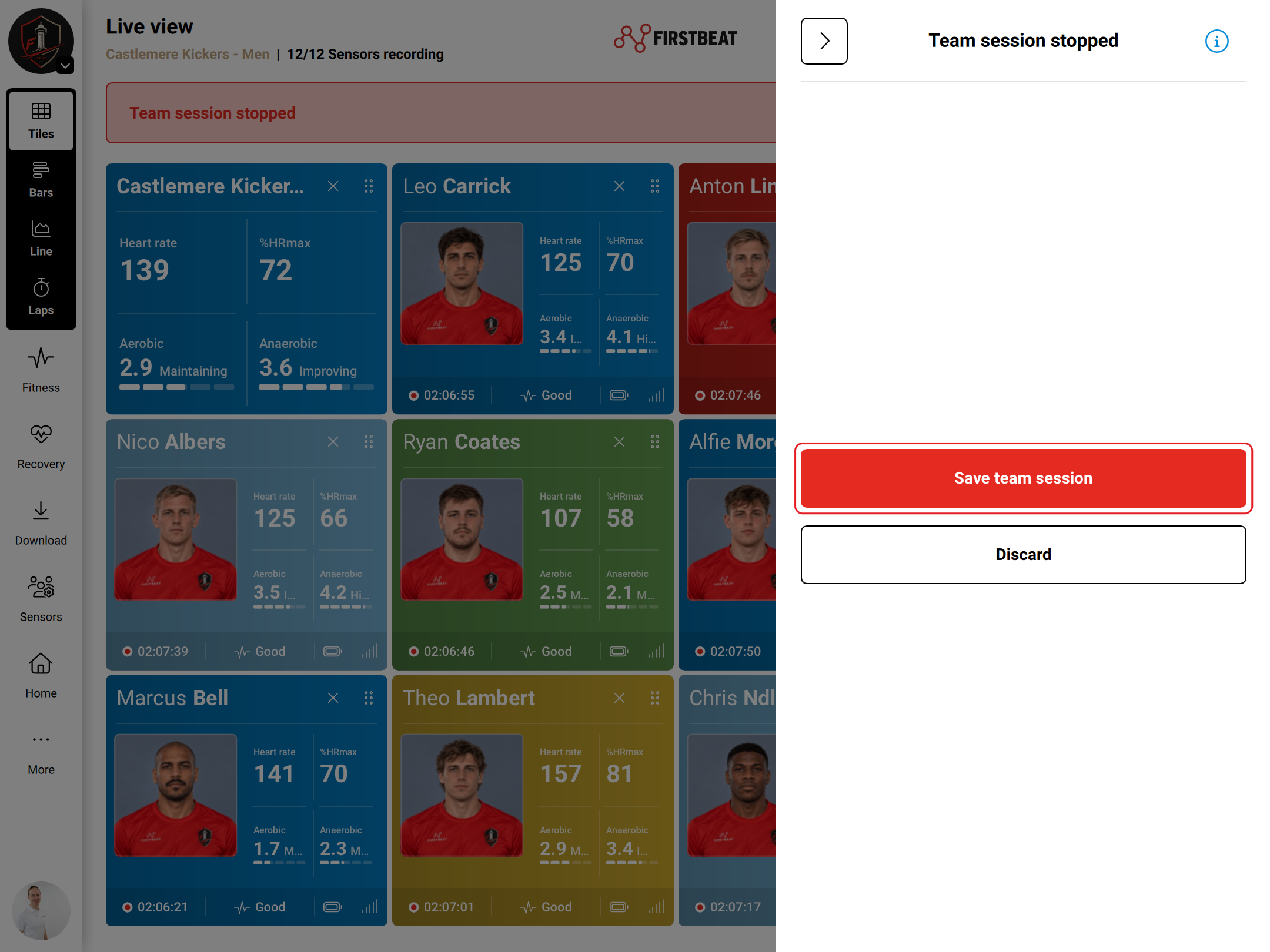
Screenshot: the team session stopped panel with the Save team session and Discard buttons.
- Download the data. Open Download, keep the Sensors within 10 meters of the device and tap Download all.
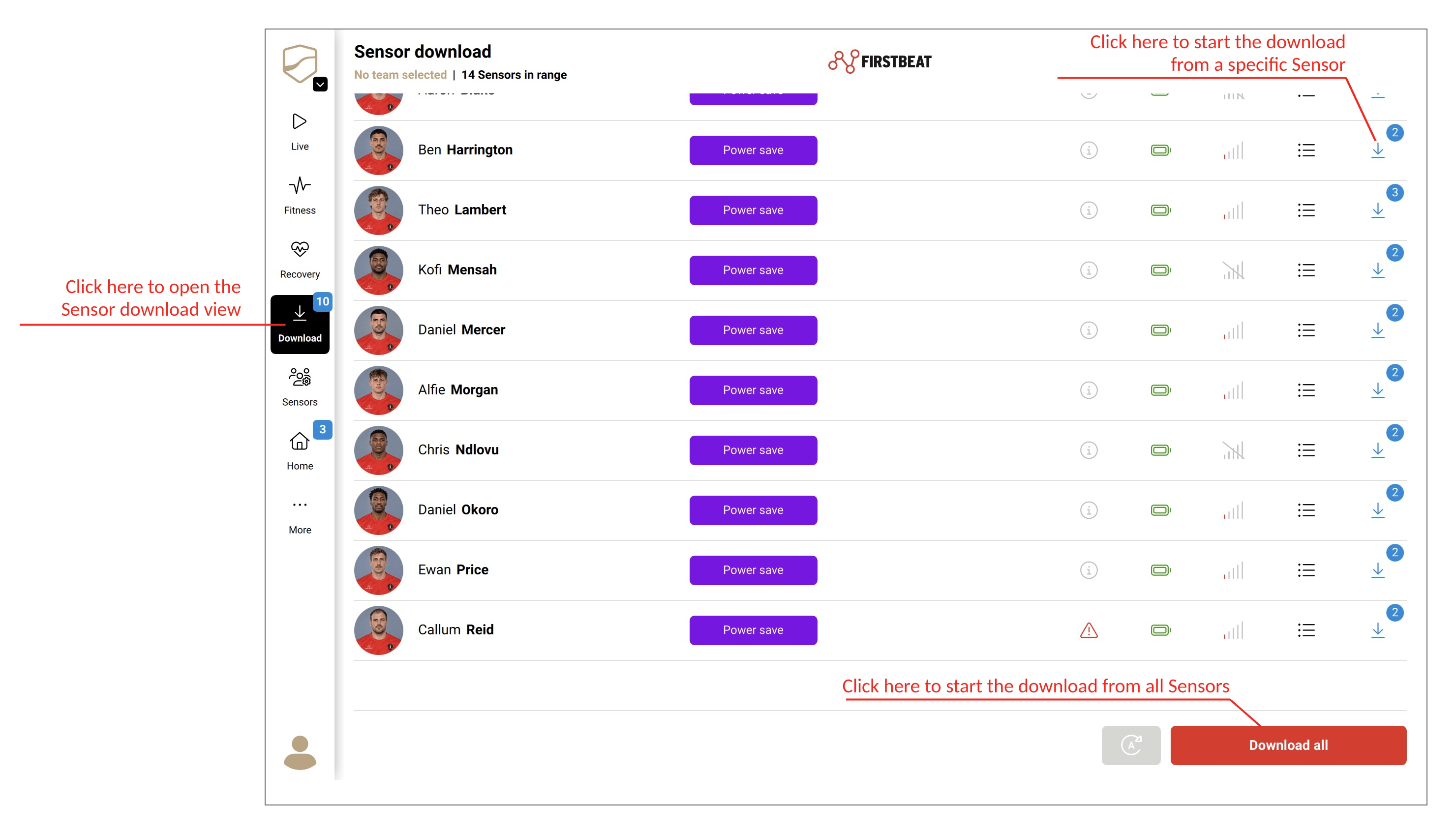
Screenshot: the download view with the Download all button.
Result
The measurements appear in the Coach app and sync to Sports Cloud automatically when the device is online. Do not delete the Coach app before the sync has finished: data on the device that is not synced is lost.
Need more help? Ask the Customer Agent chat on this page or email support@firstbeat.com.