
This article explains how to fix a Submaximal Fitness Test (SMFT) that fails for an athlete during live Fitness Testing in the Firstbeat Sports: Coach app. The Submaximal testing add-on can be added to any subscription tier.
Symptom
During a live test, the Fitness Testing view shows the message Test failed - no sensor data recorded for these athletes and the athlete's row in red.
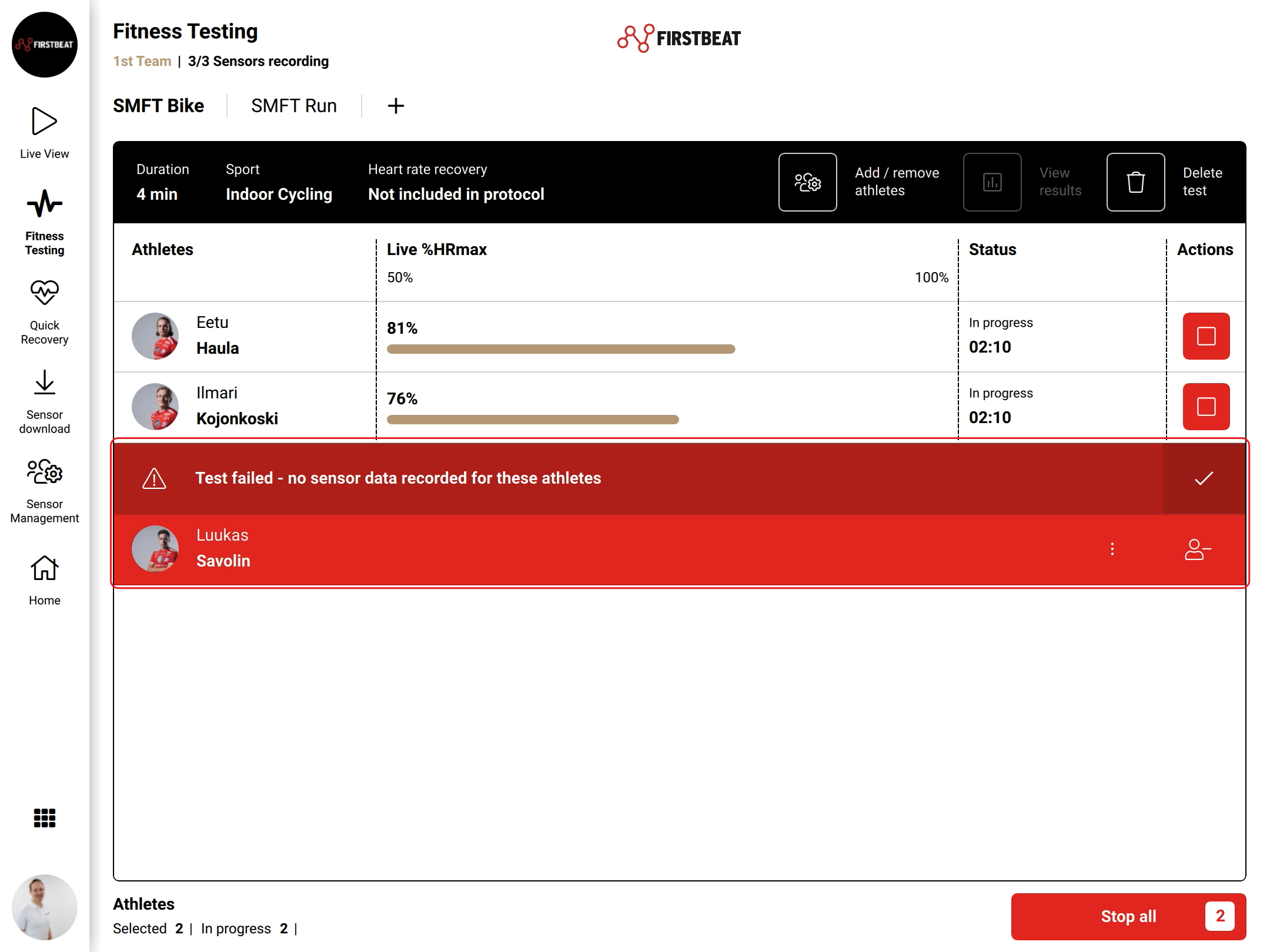
Screenshot: the failed-test message with the checkmark and the athlete's red row with the remove athlete icon.
Cause
- The athlete's Firstbeat Sports Sensor stopped recording unexpectedly, for example because the battery ran out. The test runs only for athletes whose Sensor is recording.
Solution 1: Start the test again for the athlete
- Check the Sensor. Make sure that the athlete's Sensor is recording.
- Mark the message as noted. Tap the checkmark at the right end of the Test failed message.
- Restart. Start the test again for the athlete.
Solution 2: Remove the athlete from the test
- Remove the athlete. If the athlete cannot continue, tap the remove athlete icon (person with a minus sign) in the athlete's red row and continue the test for the other athletes.
Solution 3: Prepare the next test
- Moisten the straps. Moisten the heart rate (HR) straps well before the test. The test usually runs at the start of training, before athletes sweat, and the test needs good data quality.
- Check the Sensors. Check that each athlete's Sensor is recording before you start the test.
If the problem continues
Ask the Customer Agent chat on this page or email support@firstbeat.com. Include as much information as possible to help us solve the issue faster.