
The Loaded Measurements view in the Firstbeat Sports: Coach app shows which measurements were downloaded from each Firstbeat Sports Sensor to the device and whether the measurements are synced to Firstbeat Sports Cloud. The Loaded Measurements button (list icon) in each Sensor row of the Download view shows the status as a colored number.
Colored numbers
- Blue number: measurements from the Sensor that are downloaded to the device and waiting to be synced to Sports Cloud.
- Green number: measurements from the Sensor that were synced to Sports Cloud today. A measurement recorded yesterday and synced today counts as green 1.
- Blue overrides green. If a Sensor has measurements waiting to be synced, the blue number is shown, even if other measurements from the same Sensor were synced earlier the same day.
- A blue number on the download button (down arrow icon) means that measurements are still in the Sensor, waiting to be downloaded to the device.
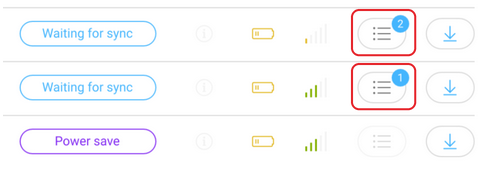
Screenshot: Sensor rows with the status Waiting for sync and blue numbers on the Loaded Measurements buttons.
Measurement list
- Tap the Loaded Measurements button to open the LOADED MEASUREMENTS view for one Sensor.
- The list shows Date, Start time, End time, Duration, Data quality and Synced to Sports Cloud (the sync time, or Waiting for sync...) for each measurement.
- The list shows the past 30 days only.
- On iPhone, the list is more compact and does not show data quality or sync times.
- To delete a measurement, use Sports Cloud.
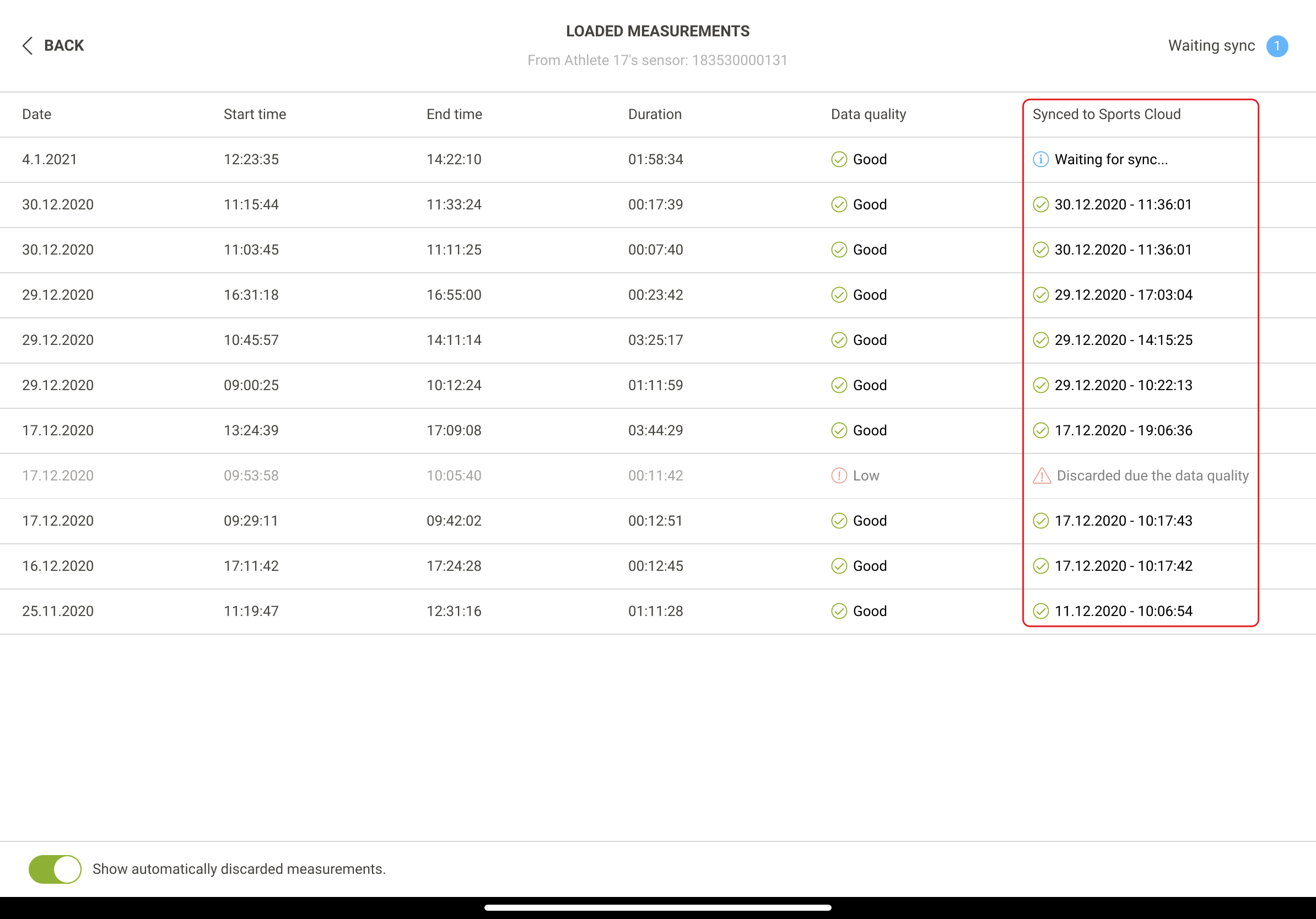
Screenshot: the LOADED MEASUREMENTS view with the measurement list and the discarded measurements toggle.
Note: Since 12 June 2026, measurements are no longer discarded because of data quality. The Show automatically discarded measurements. toggle at the bottom of the view shows measurements discarded before that date. Firstbeat Support can restore discarded measurements.
Last synchronization time
The time of the most recent synchronization with Sports Cloud is shown above Sync now in the More (…) menu of the Coach app.
Need more help? Ask the Customer Agent chat on this page or email support@firstbeat.com.