
This article explains how athletes update the firmware of the Firstbeat Sports Sensor with the Firstbeat Sports: Athlete app.
Before you start
- Use the latest version of the Athlete app and download all measurements from the Sensor.
- Turn on Bluetooth and keep the Sensor near your phone or tablet.
- A firmware update takes about 1 minute per Sensor.
Steps
- Open the update. When new firmware is available, the Athlete app home screen shows a blue notification that a new Sensor firmware version is available. Tap the microchip icon in the notification to open the FIRMWARE UPDATE view.
- Update. Tap UPDATE, wait for the message "Firmware updated successfully." and tap OK.
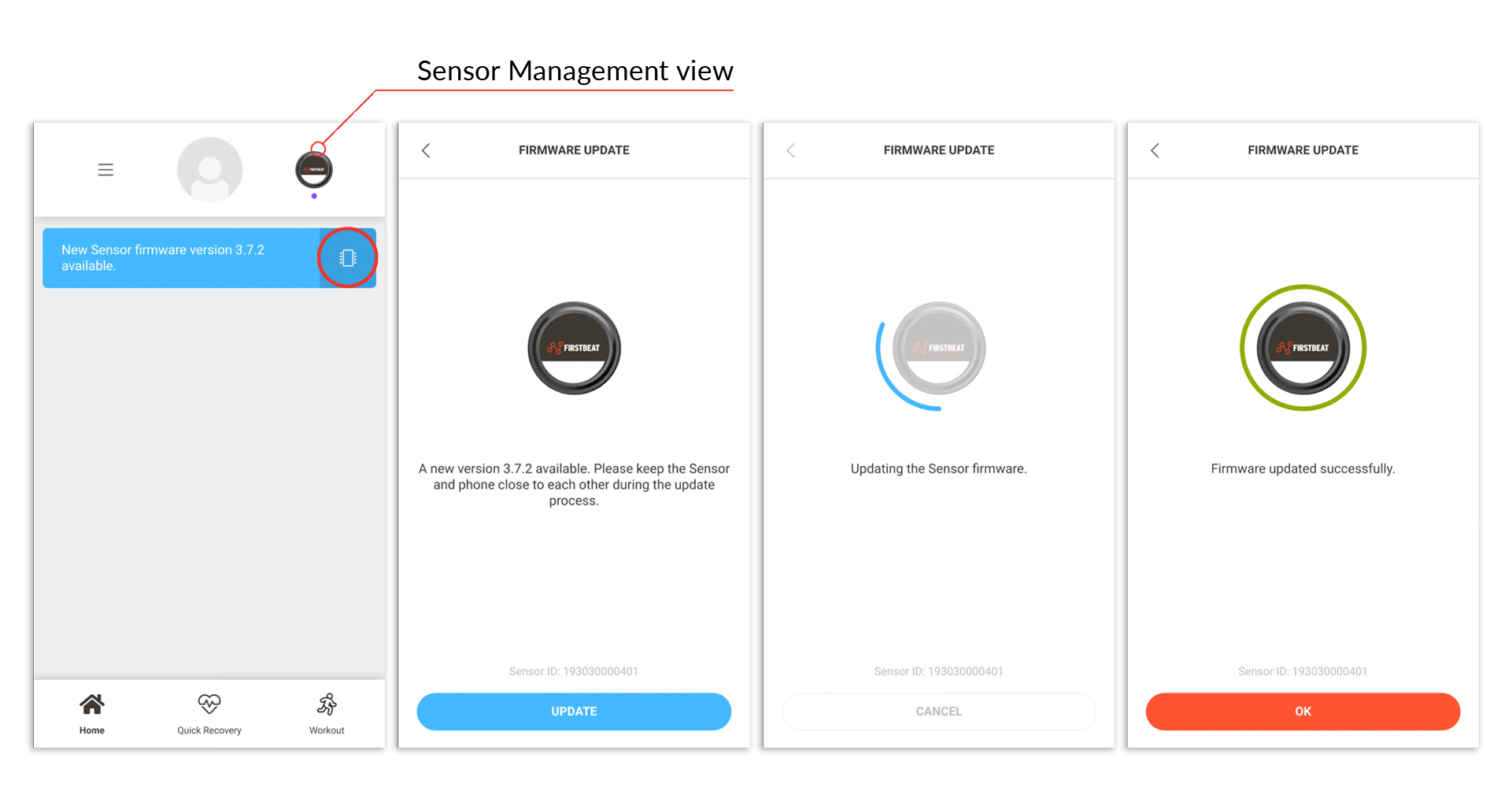
Screenshot: the firmware notification on the home screen, the FIRMWARE UPDATE view with the UPDATE button, and the "Firmware updated successfully." message.
Result
The Sensor has the latest firmware version.
Need more help? Ask the Customer Agent chat on this page or email support@firstbeat.com.