
This article explains how to replace the coin cell battery of the Firstbeat Sports Sensor. Change the battery before the battery is completely empty, especially when training in cold conditions.
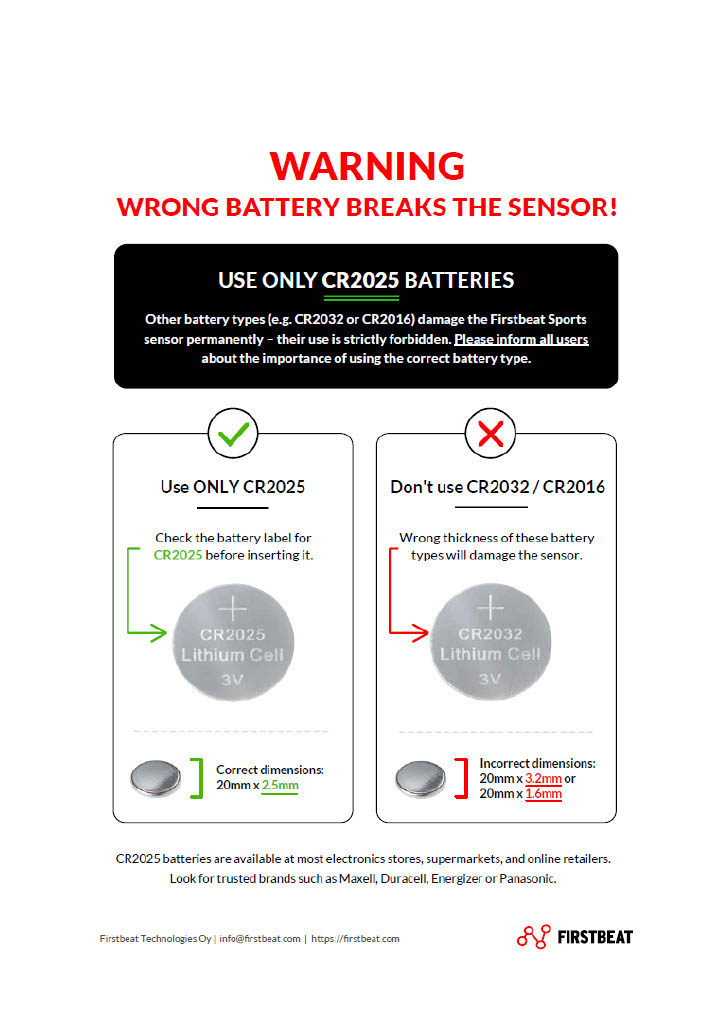
Image: warning sheet showing that only CR2025 batteries fit the Sensor and that CR2032 and CR2016 batteries damage the Sensor.
When to replace the battery
The Coach app shows the battery level of each Sensor in color:
- Green: 20% or more. The battery is fine.
- Yellow: below 20%. Replace the battery soon.
- Red: below 10%. Replace the battery before the next session.
Before you start
- You need a CR2025 3V coin cell battery from a reputable brand, such as Maxell, Duracell, Energizer or Panasonic. Check the label: a CR2025 battery is 20 millimeters (mm) in diameter and 2.5 mm thick.
- Use only CR2025 batteries. CR2032 (3.2 mm thick), CR2016 (1.6 mm thick) and other battery types damage the Sensor permanently, and the warranty does not cover damage caused by a wrong battery type.
- You need a flat-headed tool, such as the strap buckle or a coin. Sharp tools, such as a screwdriver or keys, damage the back cover and the Sensor.
- Firstbeat recommends changing the back cover together with the battery so that the Sensor stays water resistant.
Steps
- Open the back cover. Insert the strap buckle or another flat-headed tool into the notch at the edge of the back cover and open the cover. If the old battery was placed the wrong way, the cover is hard to remove, so be extra careful.
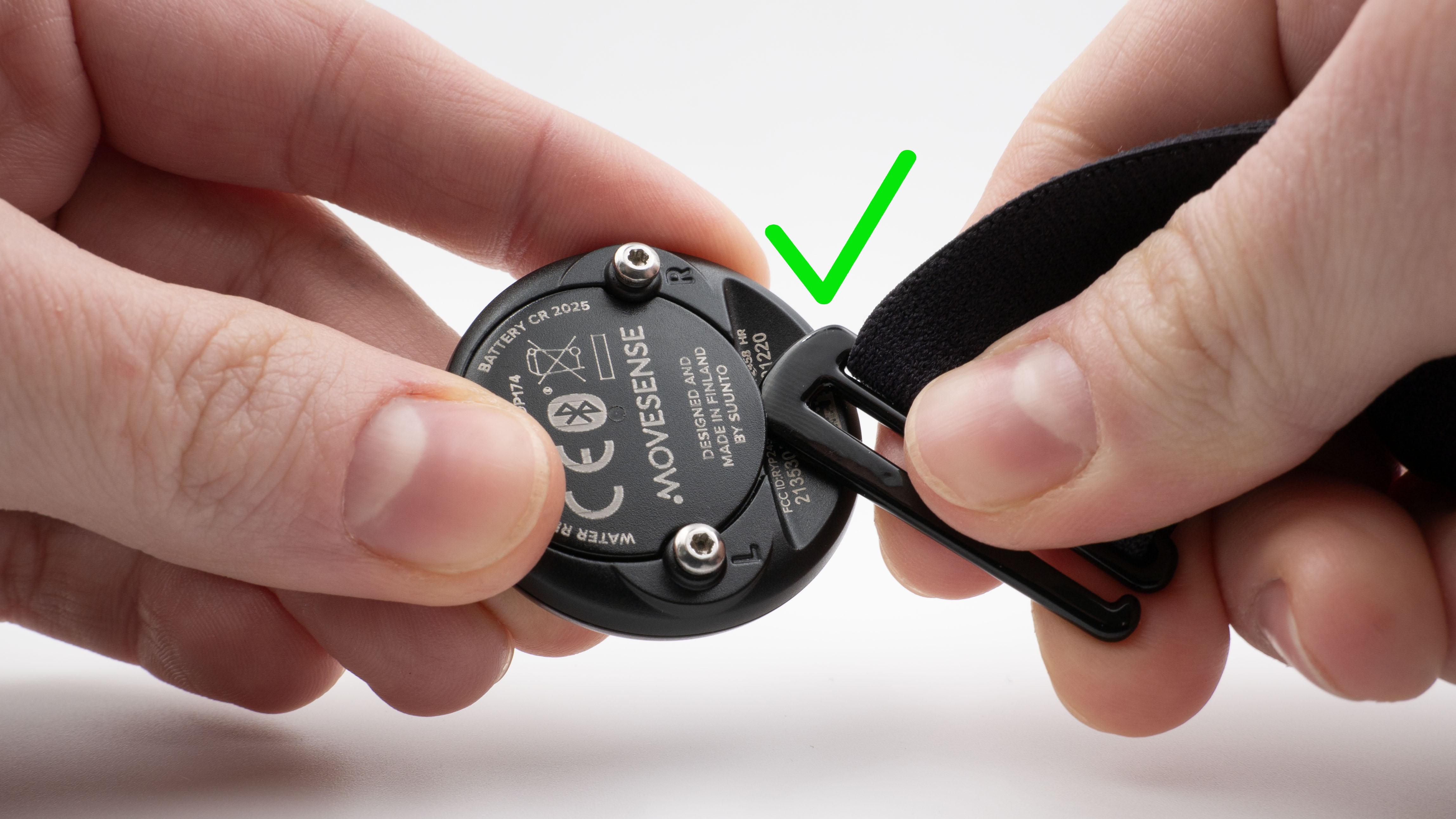
Image: the strap buckle inserted into the notch at the edge of the back cover.
- Remove the old battery. Take out the old battery and inspect the rubber seal and the Sensor for damage.
- Insert the new battery. Place the new CR2025 battery into the battery cover with the negative (-) side facing outwards and visible.
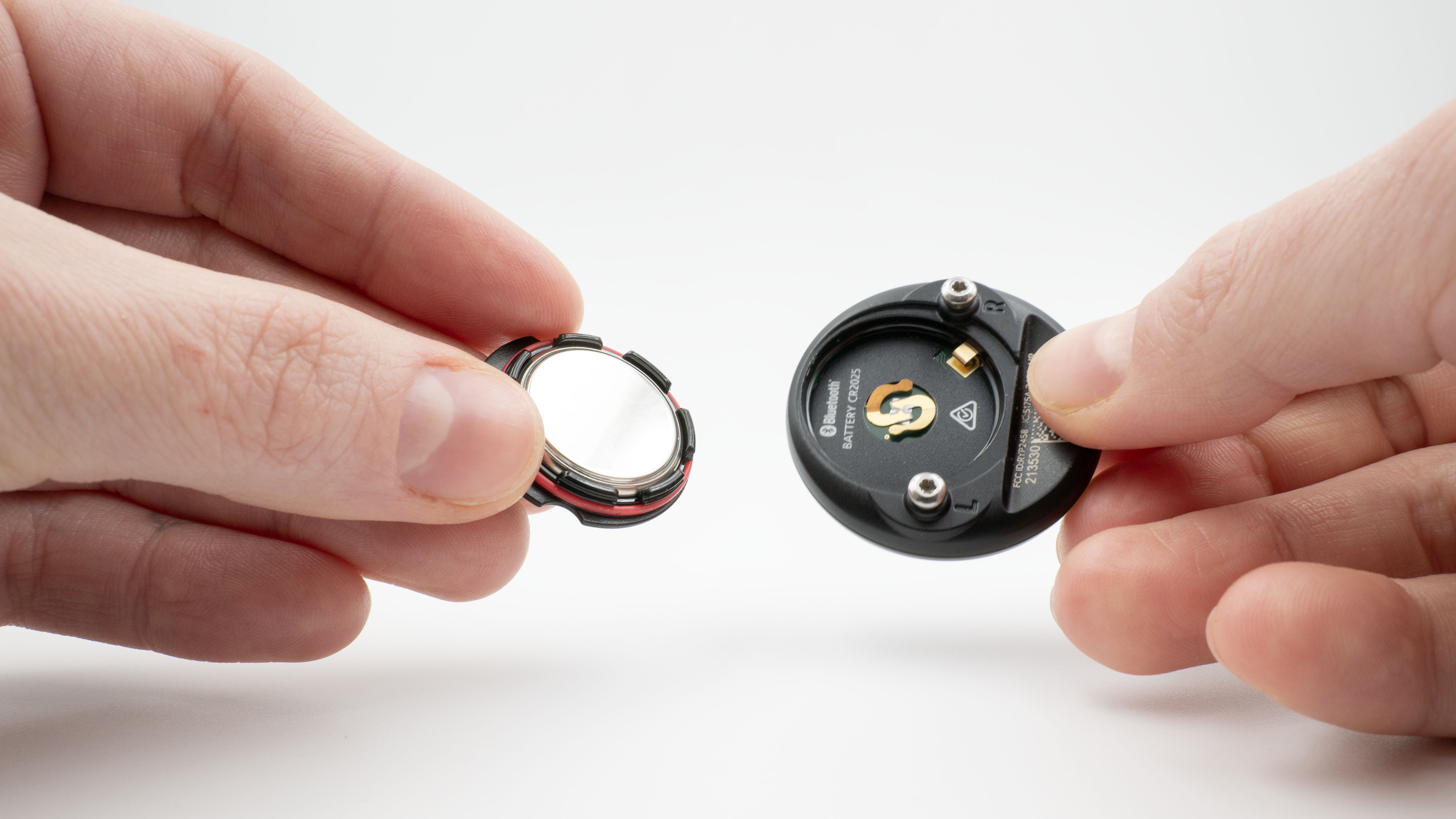
Image: the battery seated in the battery cover next to the opened Sensor, which is marked BATTERY CR2025.
- Close the back cover. Align the edge of the battery cover with the slot on the Sensor and push the back cover into place until you hear a click.
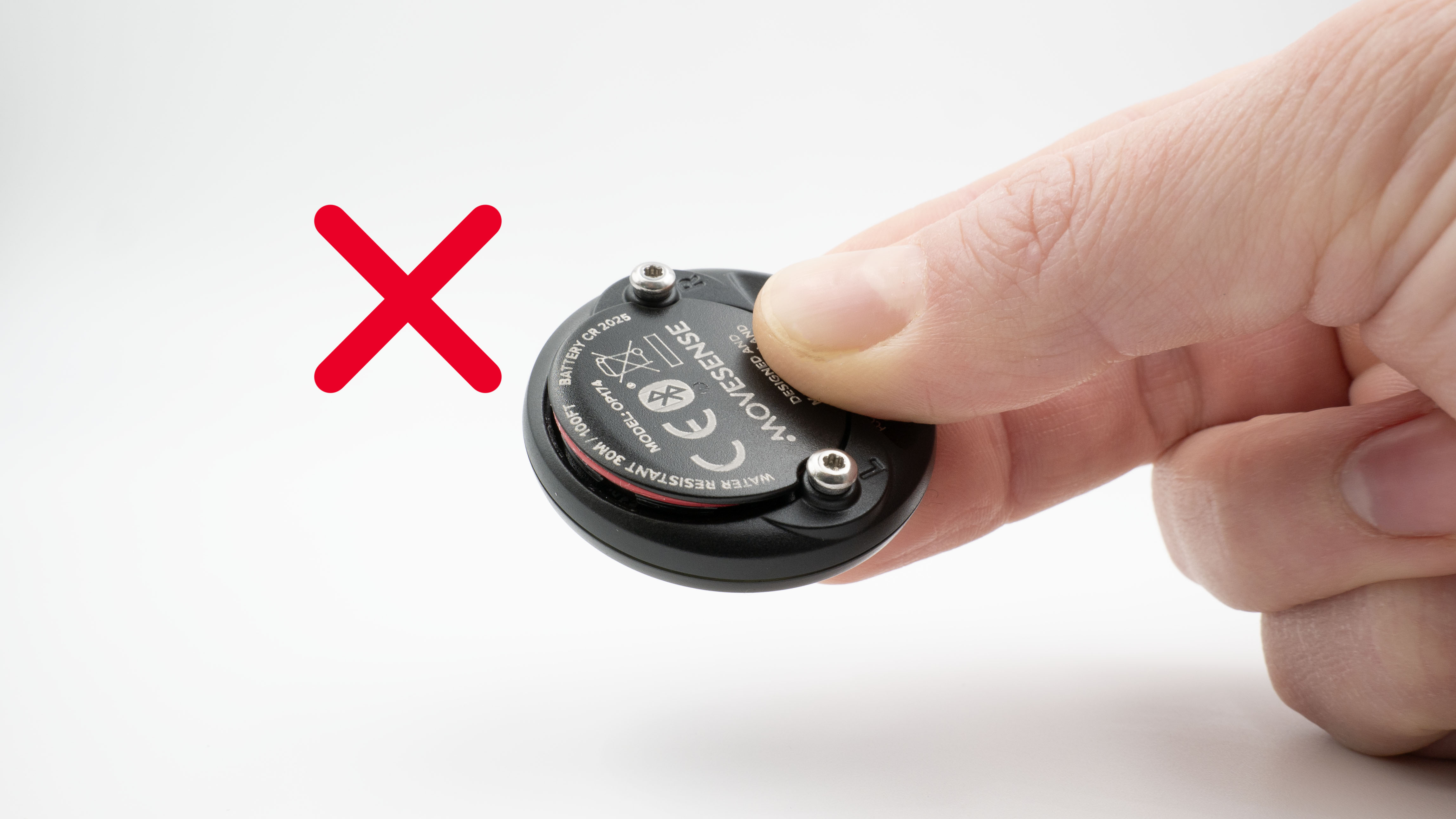
Image: an incorrectly closed back cover that is tilted, with the red rubber seal visible in the gap.
- Check the seal. Check that the back cover sits flush with the Sensor and that the rubber seal is not visible in a gap at the edge.
Result
The back cover clicks into place and sits flush with the Sensor, with no gap.
Need more help? Ask the Customer Agent chat on this page or email support@firstbeat.com.