
This article explains how an Admin can delete a coach from the team account in Firstbeat Sports Cloud.
Before you start
- You need Admin rights in Sports Cloud. Coaches who are not Admins cannot delete other coaches.
- Deleting a coach is permanent. Only the coach's login details and settings are deleted. Athlete profiles, teams and subgroups are not deleted.
Steps
- Open Coach Management. Log in to Sports Cloud at https://sports.firstbeat.com, open the profile menu in the top-right corner and select COACH MANAGEMENT.
- Delete the coach. Click the red icon in the Delete column of the coach's row.
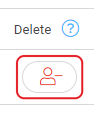
Screenshot: the Delete column in the coach list with the red delete icon (a person with a minus sign).
- Confirm. Click YES in the DELETE COACH? pop-up.
Result
The deleted coach is no longer shown in Coach Management and can no longer log in to Firstbeat Sports.
Need more help? Ask the Customer Agent chat on this page or email support@firstbeat.com.