
This article explains how to set up automated Team Training Session Reports for coaches in the Reporting Tool of Firstbeat Sports Cloud. The selected coach receives the report by email after each team session.
Video: how to activate Team Training Session Report auto-sharing for coaches in Sports Cloud.
Before you start
- Automated reports are included in all subscription tiers, from Sports Standard up.
- Automated Team Training Session Reports for coaches are triggered only when a session is started live in the Firstbeat Sports: Coach app.
- Automated reporting must be set up separately for each coach.
Steps
- Open a Session Report. Log in to Sports Cloud at https://sports.firstbeat.com, select a session on the main dashboard and click OPEN SESSION REPORT.
- Open Report Sharing. Click the share icon in the top-right corner, to the left of the settings icon.
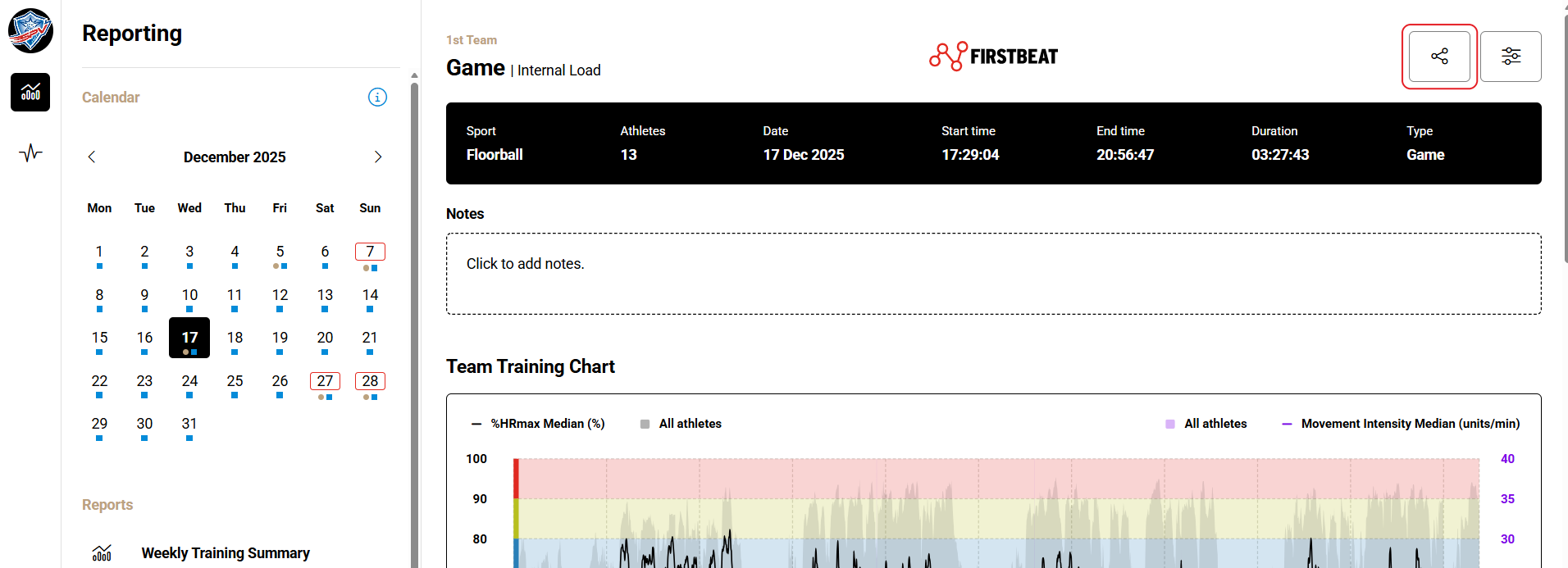
Screenshot: a team Session Report with the share icon and the settings icon in the top-right corner.
- Select the coach. In the Automated Team Training Session Report – For Coach section, select the coach in the Coach list.
- Select teams and topics. Under Choose which teams' sessions will trigger an automated report, select the teams. Under Select the topics to be included in the automated email, select the report topics.
- Save. Click Save changes. Repeat steps 3–5 for each coach who should receive reports.
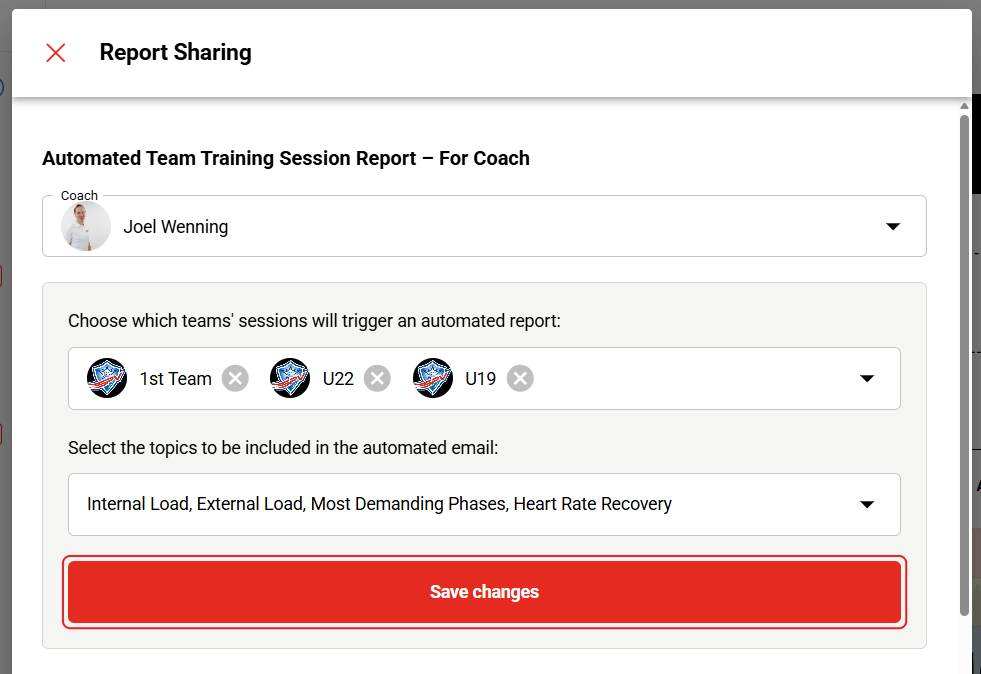
Screenshot: the For Coach section with the Coach list, the selected teams and topics, and the Save changes button.
Result
After the next session started live in the Coach app, the coach receives the report by email when data from all athletes in the session is in Sports Cloud.
Need more help? Ask the Customer Agent chat on this page or email support@firstbeat.com.